Overview
The Biosecurity Commons platform provides a point and click interface for modelling and analysis workflows. However it is designed from the ground up to allow for standalone reproduction of outputs without the need for the full platform infrastructure. This is provided as an open source and container Git repository which together allow the core workflows to be operated with minimal external dependencies. This document describes the key processes for running independent workflows.
Recreating a Biosecurity Commons project
A Biosecurity Commons workflow is implemented as a Nextflow pipeline. Nextflow provides a proven and mature architecture for running portable, container based workflows. It supports many execution environments from cloud, HPC and most importantly, your own laptop.
When running a workflow in the platform, metadata is stored to facilitate the reproduction of outputs. This is available as part of the result download bundle. Optionally the input data can also be included in the bundle. This along with a run script provides a self contained starting point for reproducing an output.
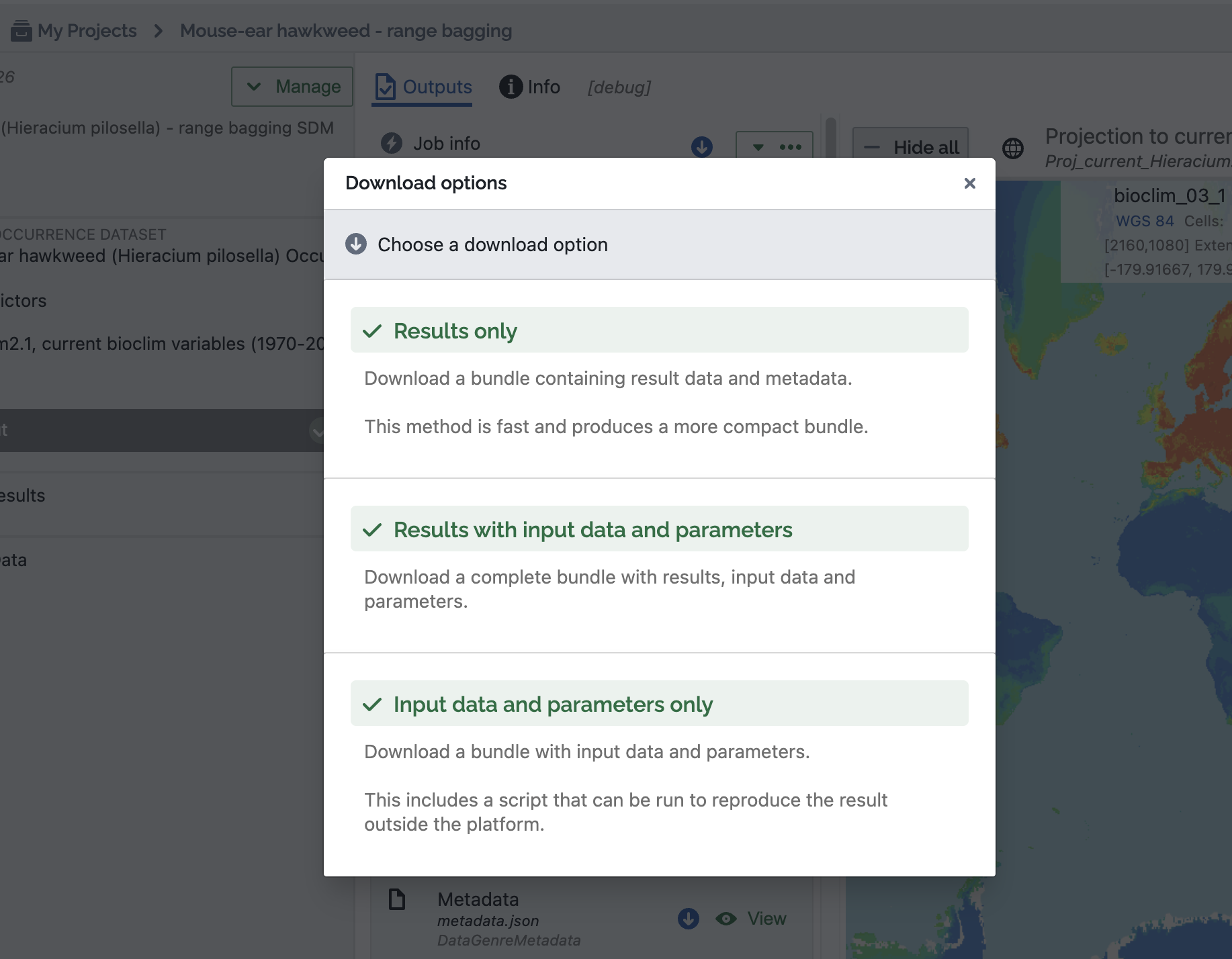
Figure 1. Result download options
System requirements
To run a model locally, both Nextflow and Docker are required to be installed.
Biosecurity Commons supports Linux and other POSIX host environments (including MacOS).
Additionally, sufficient resources should be available.
A minimum of 8 cores and 16Gb ram is recommended, however some workflows may require considerably more, depending on their parameters and input data. The resources available to Docker can be readily adjusted within the Docker Dashboard application. Simply click Settings > Resources and adjust as required. By default, Nextflow will use all resources allocated to Docker.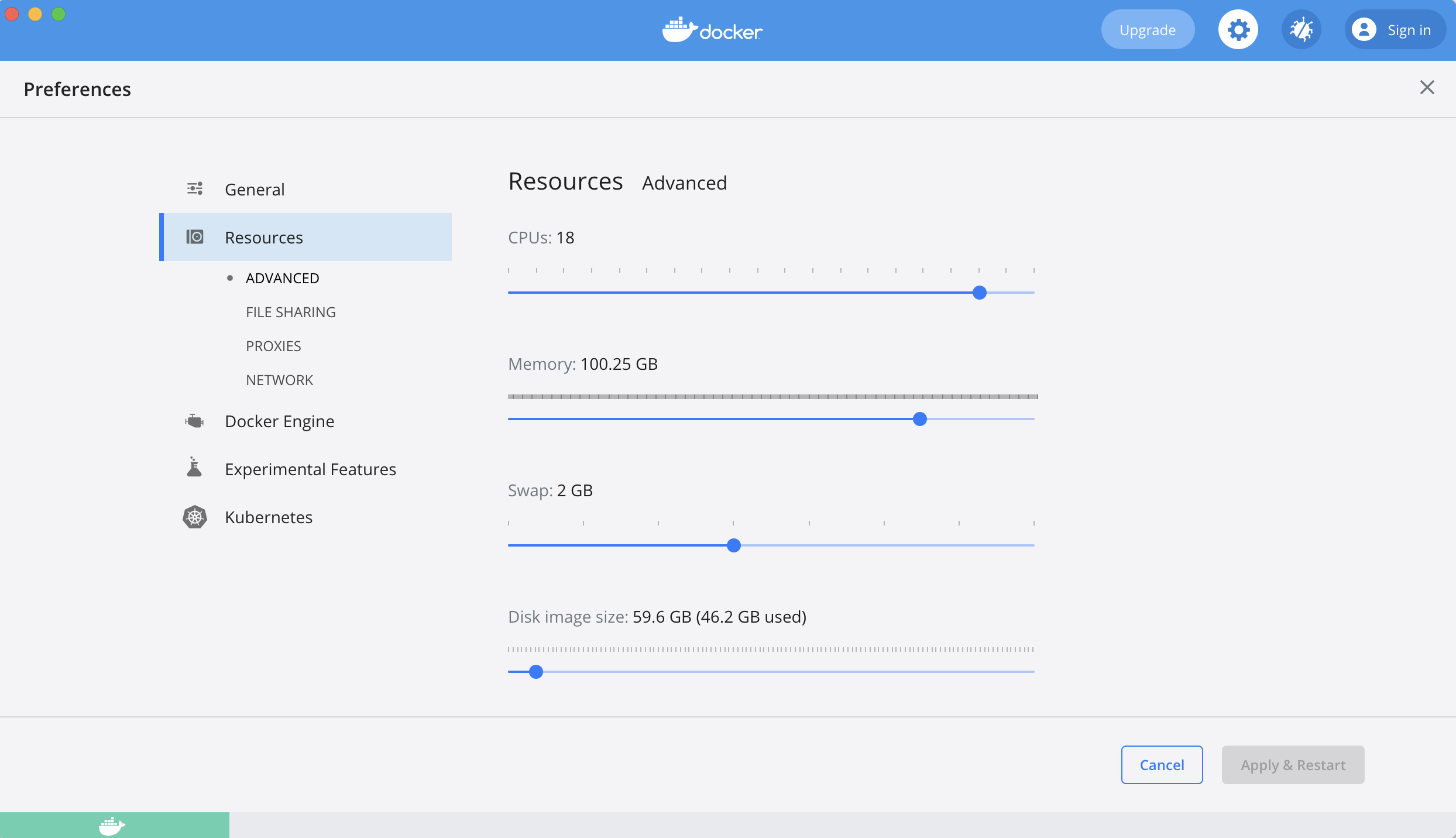
Figure 2. Docker resource options
A basic example (Species Distribution Model)
Using a simple SDM available in the platform, we can download it with the original data
and re-create the same output on a local machine.
– Go to https://app.biosecuritycommons.org.au/workflows
- Type "Mouse-ear hawkweed - range bagging" into the search bar, or alternatively follow this direct link.
- Click "(+) Create" to create your own Project for this model.
- Navigate to "Model output", and click the "Download all" button (you may need to click "All Data" first).
- Choose "Input data and parameters only".
This will download a .zip bundle with the following structure:
bundle/
├── params.json
├── run.sh
├── input/
│   ├── data1
│   └── data2
- Open a bash terminal, navigate to the unzipped dir and type:
/bin/bash run.sh
This script provides a simple wrapper for invoking Nextflow with a specific revision of a Biosecurity Commons
model. It is designed to work without additional configuration for most cases, however the script file contains
additional information that may assist with certain configurations.
Nextflow will connect directly to the Biosecurity Commons repository and download
container images on demand. It will run through all model steps and produce a final
output in the `output/` dir.
N E X T F L O W   ~  version 24.10.4

Pulling biosecuritycommons/workflows ...
 downloaded from https://gitlab.com/biosecuritycommons/workflows.git
Launching `https://gitlab.com/biosecuritycommons/workflows` - revision: a47ea58aec [1.40.15]

Using data from '~/Downloads/bssdm_mehw-02-Sep-2026-1258PM-fb8f0c51-38e4-4a7e-998f-0981b4ccaa8e/input'
[4a/b150e4] process > SDM:PREPARE_INPUTS (job) [100%] 1 of 1 ✔
[5a/f6de3b] process > SDM:RUN_SDM (job)        [100%] 1 of 1 ✔
Other data sources
Models specify data via a manifest `params.json`. This follows conventions for locating input data and is able to negotiate between different sources. Take the following example:
{
  "occurrences": {
    "filename": "input/species_a/occurrences.csv",
    "url": "https://api.data.biosecuritycommons.org.au/dataset/200A2FD4-B5DB-49BC-9554-BEEB4B69AA97/var/species_a/tempurl",
    "uuid": "200A2FD4-B5DB-49BC-9554-BEEB4B69AA97"
  }
}
The occurrences parameter is specified as both a local file, a URL and a platform UUID.
When `filename` is present, the model will always check if the file exists locally. Otherwise it will attempt fall back to an external fetch from the platform.
Note, URL is only suitable for public data as no authorisation is provided for private data.
Non platform data sources can be substituted. Either by providing the files locally, or via
an external URL. The params file should be updated accordingly.
Model resource requirements
Many Biosecurity Commons workflows can be run on a typical laptop. To an extent models
chunk data to operate within a limited memory envelope, but ultimately complex models with
high resolution data and many iterations will require significantly more resources.
For example, a complex spread model may require 250Gb of memory and 32 cpu cores.
The good news is Nextflow has built in support for many cloud and HPC environments, however this is beyond the scope of the guide.
Standalone model runs and advanced use cases
While an existing platform project provides a starting point for running a model,
it is possible to author the parameter file by hand (or generate it) and execute it directly via Nextflow.
All model parameters are fully described by a schema document included in the Git repository.
These can be found under /src/schemas/. They follow the JSONSchema specification and can be used to validate the parameter file.
Example invocation:
params.json
{
  "function": "bsspread",
  "upload": false,
  "label": "resource_auto",
  <model parameters>
}
shell
nextflow run https://gitlab.com/biosecuritycommons/workflows -params-file 'my_params.json'
Extending and customising a workflow pipeline
The Workflows Git repository contains an additional 'local' Nextflow profile that is specifically designed for running
the pipelines using locally built container images. Additionally it will auto mount the host filesystem to allow for
on the fly development and testing. More information on this advanced flow can in the repository documentation, as well as an overview of the pipeline architecture.
FAQ
- Q. Can I add my own processes to these pipelines?
- A. Nextflow pipelines can be extended to add additional data or analytic processes. This requires a reasonable understanding of Nextflow pipeline development. It is possible to author your own pipeline using the published Biosecurity Commons container images too.
- Q. Do I have to use Docker?
- A. Other container technologies such a Singularity can be used instead of Docker. These will require custom configuration not available out of the box in the current repository.
- Q. Do I have to use containers at all?
- A. While it is possible to run an entire Nextfow pipeline using the 'local' executor.
It would negate many of the reproducibility benefits of containerised models and require a significant number of dependencies to be installed locally.
- Q. Can I run Nextflow on Windows?
- A. Nextflow and Docker are both available on Windows. However this is an untested and unsupported pathway.
The downloadable `run.sh` script will not execute in Windows directly.
- Q. Are all Biosecurity Commons workflows reproducible using the described method?
- A. All of our core workflows and toolkit functions are implemented following the same pattern and are generally
able to run using the described method. However some published case studies and multi stage workflows such as Risk Mapping do not yet execute end to end using the provided run script. This is an area we are currently developing and plan to have available soon.
Resources
- https://gitlab.com/biosecuritycommons/workflows
Was this article helpful?
That’s Great!
Thank you for your feedback
Sorry! We couldn't be helpful
Thank you for your feedback
Feedback sent
We appreciate your effort and will try to fix the article