Support
Biosecurity Commons provides a range of support resources for users which help explain how the platform works and what you can do with it.
Users can contact support@biosecuritycommons.org.au to explain their problem if an answer can’t be found in these resources. Our team will get in touch to help resolve the issue.
Feedback Widget
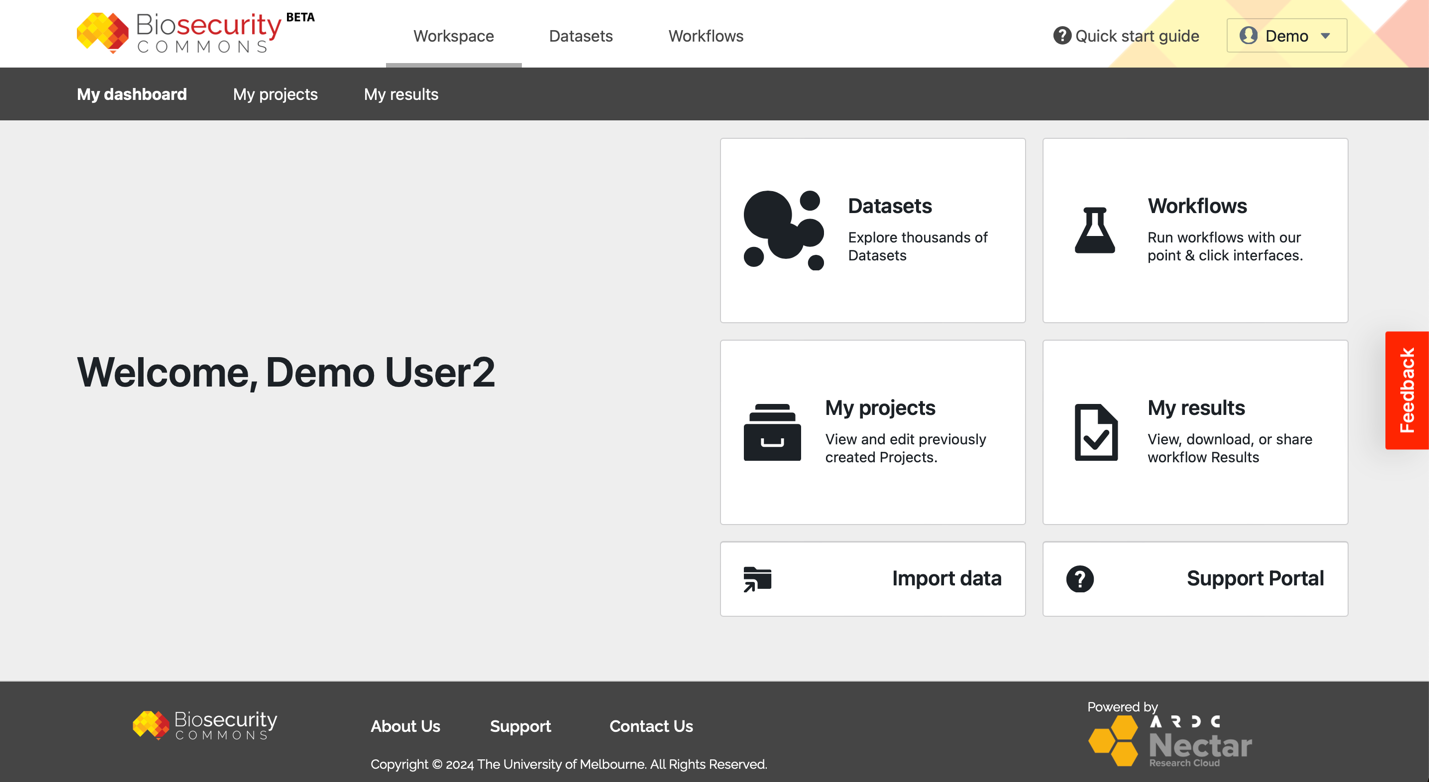
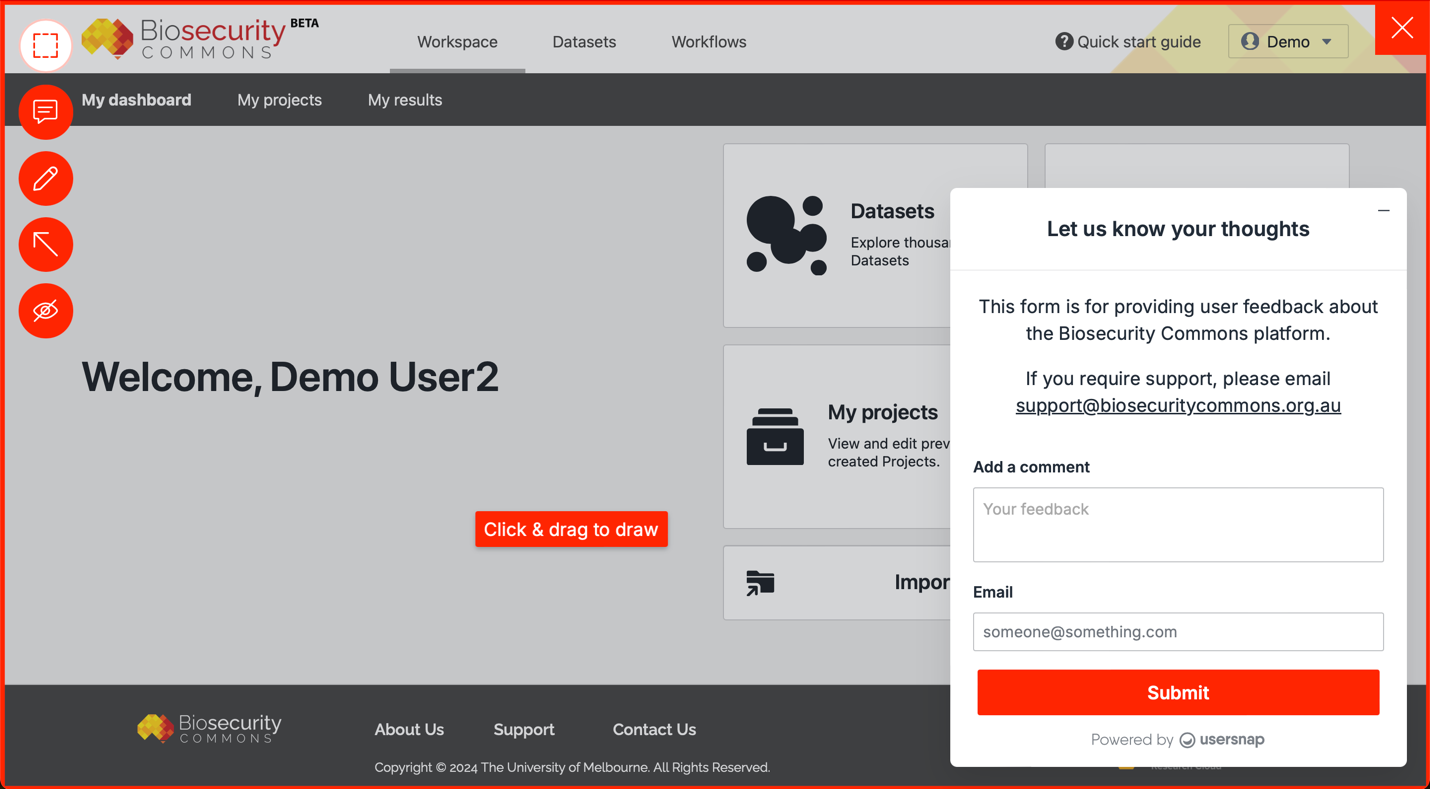
The feedback widget is available on the right-hand side of the platform (see first screenshot below). Selecting the widget will launch the feedback tool and allow users to highlight areas, add comments and draw on the web page (see second screenshot below). Please include your email address so we can contact you if we need more information.
We encourage all users of the platform to use the widget to easily provide feedback directly to our development team.
Support Portal
The Biosecurity Commons Support Portal is the home of a range of support and training resources for users. These include:
- Support articles: The portal hosts more than 35 support articles which describe how to use the platform and what the platform can do
- Forum: The forum is a space for users to ask and respond to questions, generate discussion and read about updates to the platform
- Create a ticket: Users can also create a support ticket in the portal. This allows you to describe a problem you might be having with the platform which will be sent to our support team who will respond to help solve the issue
Support articles
The portal hosts more than 35 support articles which describe how to use the platform and what the platform can do.
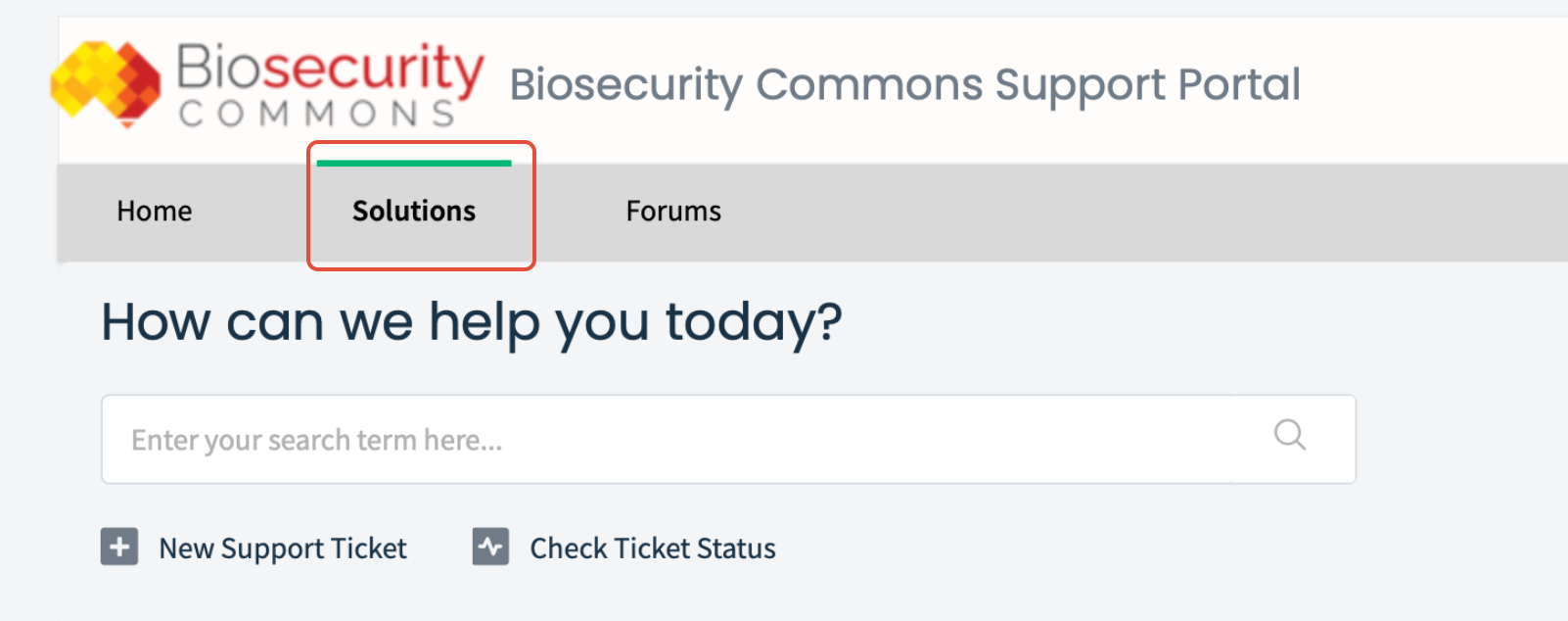
Head to the Support Portal and then click on the “Solutions” tab at the top of the page (see screenshot below).
Scroll down and you’ll find the support articles in a section called “Knowledge base”.
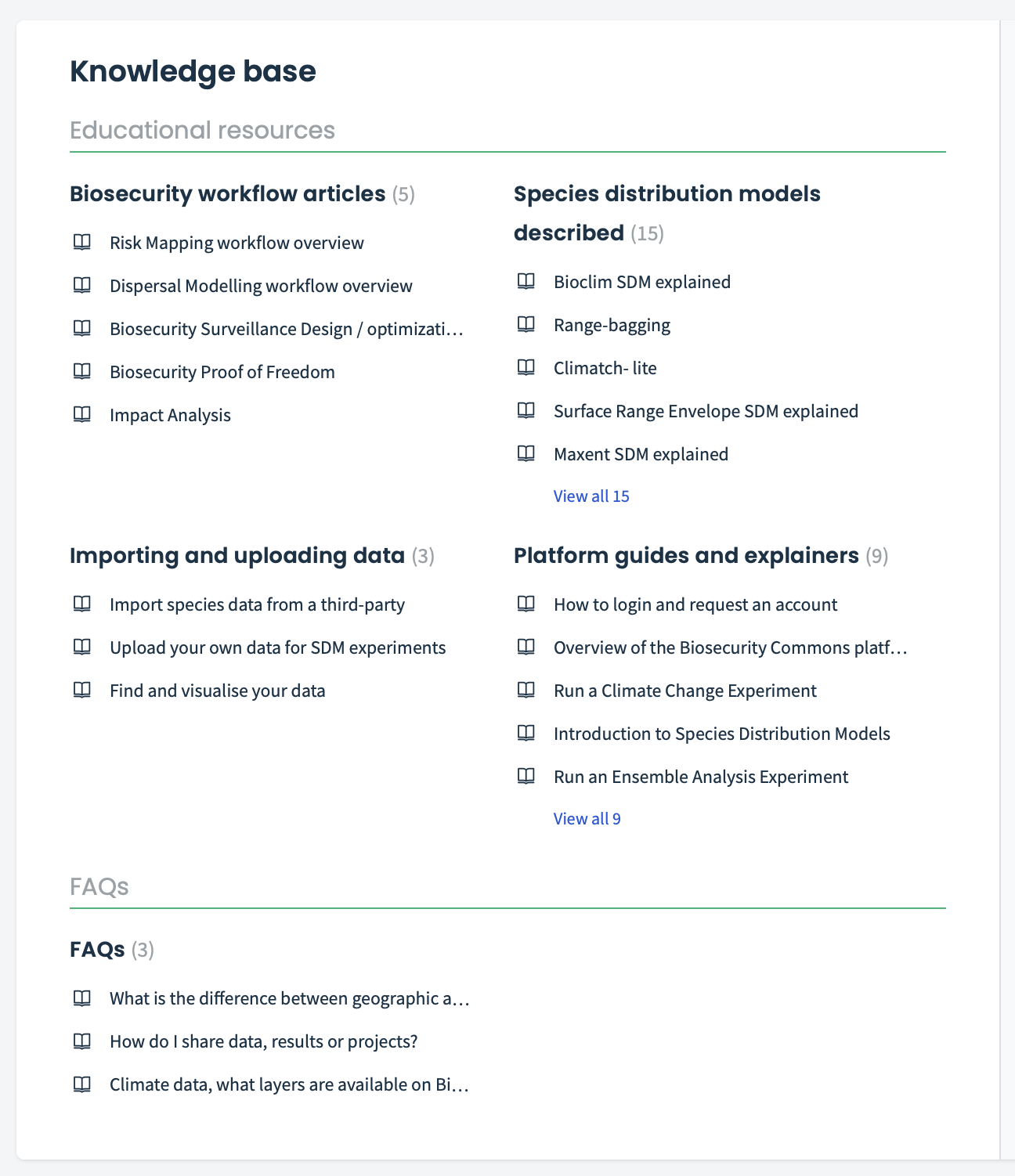
The support articles are divided into five different sections:
- Biosecurity workflow articles: These articles provide a technical overview of each workflow available on Biosecurity Commons
- Species Distribution Models described: These articles explain each of the Species Distribution Modelling algorithms including those hosted on our sister platform EcoCommons
- Importing and Uploading data: These articles describe how users can import, upload and find data
- Platform guides and explainers: These articles explain and guide users through various processes on the platform
- FAQs: Articles covering commonly asked questions
Forum
The forum is designed as a community space for users to ask and respond to questions, generate discussion and read about updates to the platform.
We encourage everyone to post and ask questions because there is no such thing as a silly question and we are here to help.
To access the forum, head to the Support Portal and then click on the “Forums” tab at the top of the page (see screenshot below).
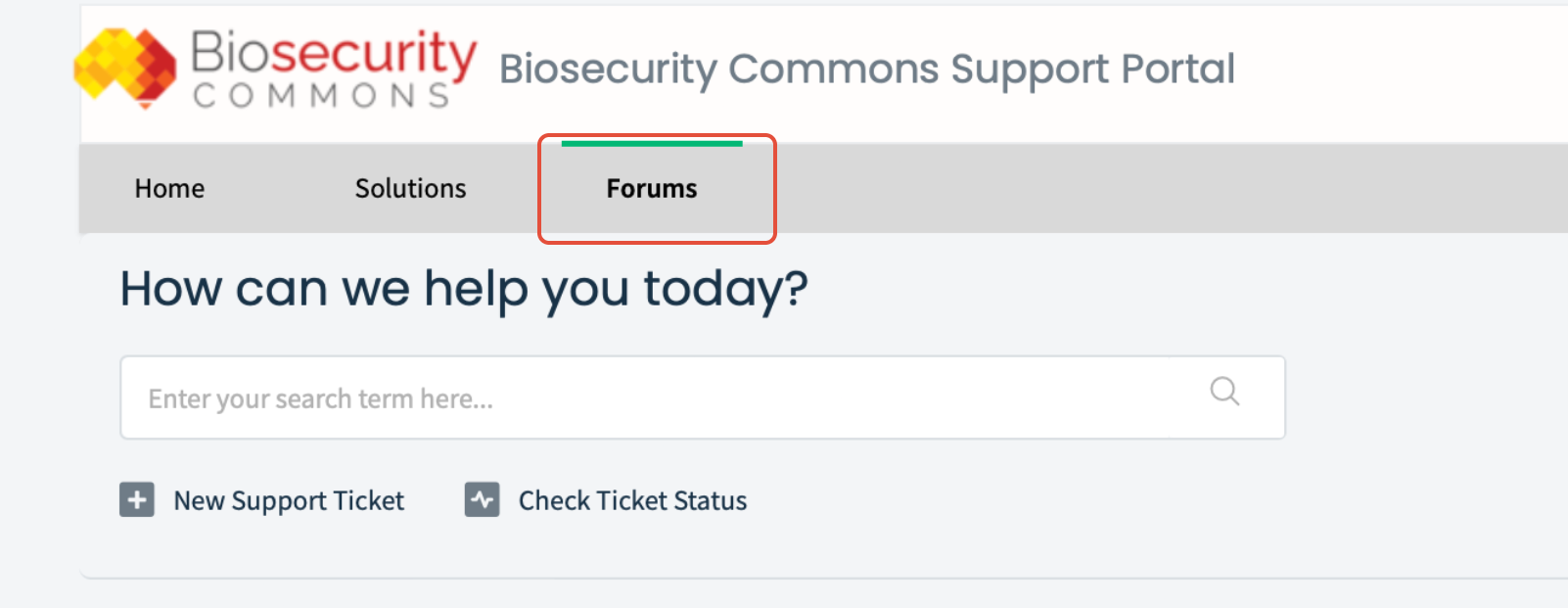
Scroll down and you will see the forum in the section titled “Community forums” (screenshot below).
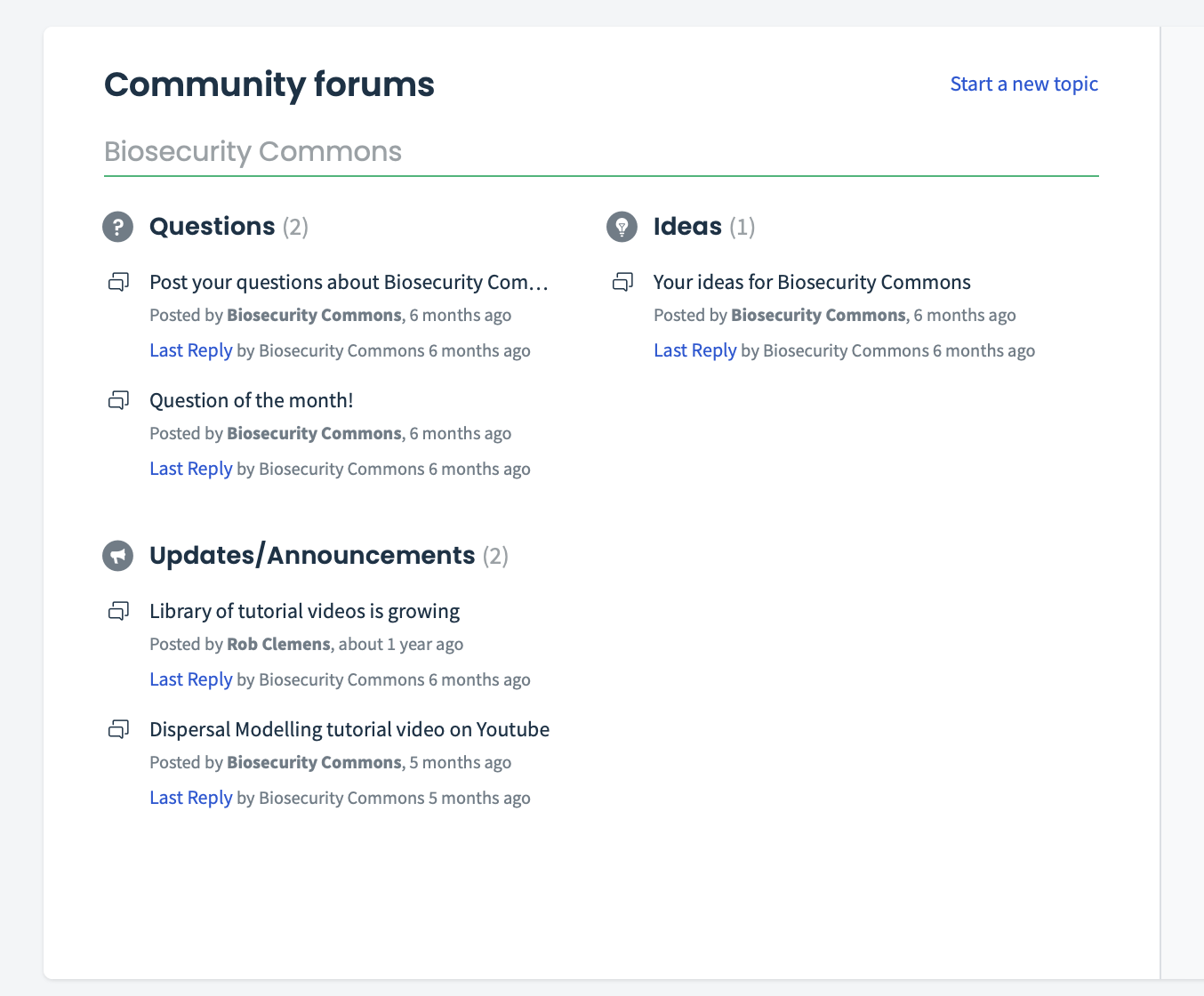
The forum is divided into three sections:
- Questions: Users can post any questions they have about the platform and respond to any questions other users have posted. Our support team will also contribute with responses
- Ideas: Users can post their ideas for the platform and what functionality they would like to see
- Updates/Announcements: Here the Biosecurity Commons team will post updates and announcements
How to login
Anyone can read the forum without a login, but users need to sign-in to the forum to post or respond to a thread.
In the top right-hand corner of the portal there is a green “Login” button (see screenshot below). Click on this and you will see the login page below.
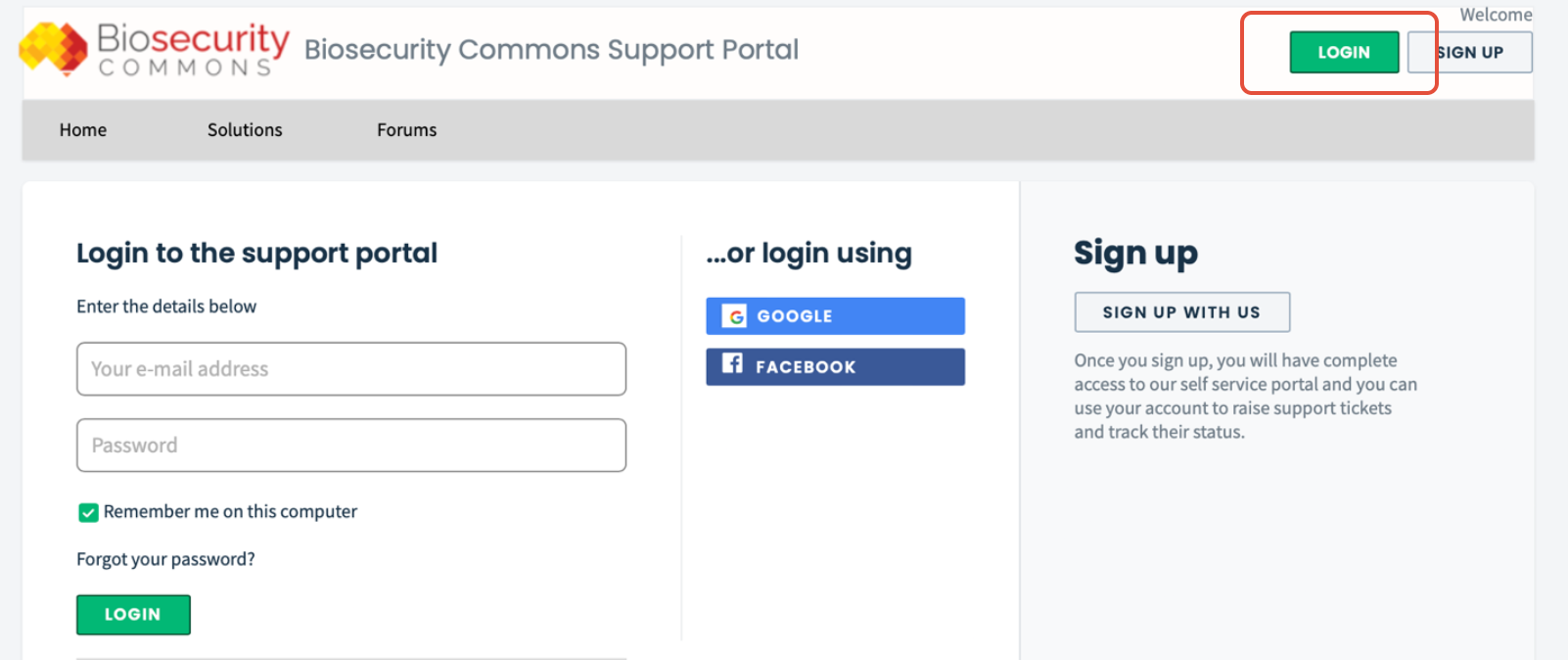
Users can login using their Google or Facebook credentials. With these options you do not need to create an account.
If you don’t want to login via Google or Facebook you can create your own login (see the section below) and then enter your details to login to the portal.
NOTE: You cannot login with your Biosecurity Commons details
How to sign up
In the top right-hand corner of the portal there is a “Sign Up” button (see screenshot below).
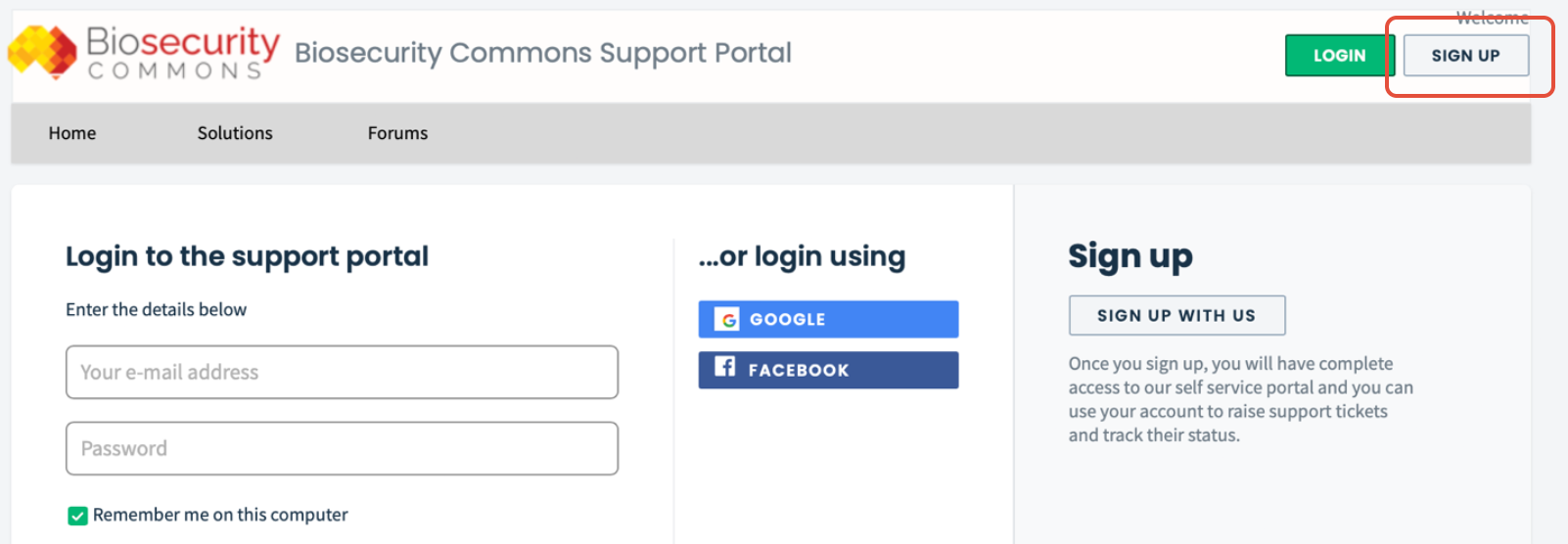
Click on the “Sign Up” button and you will see the page below.
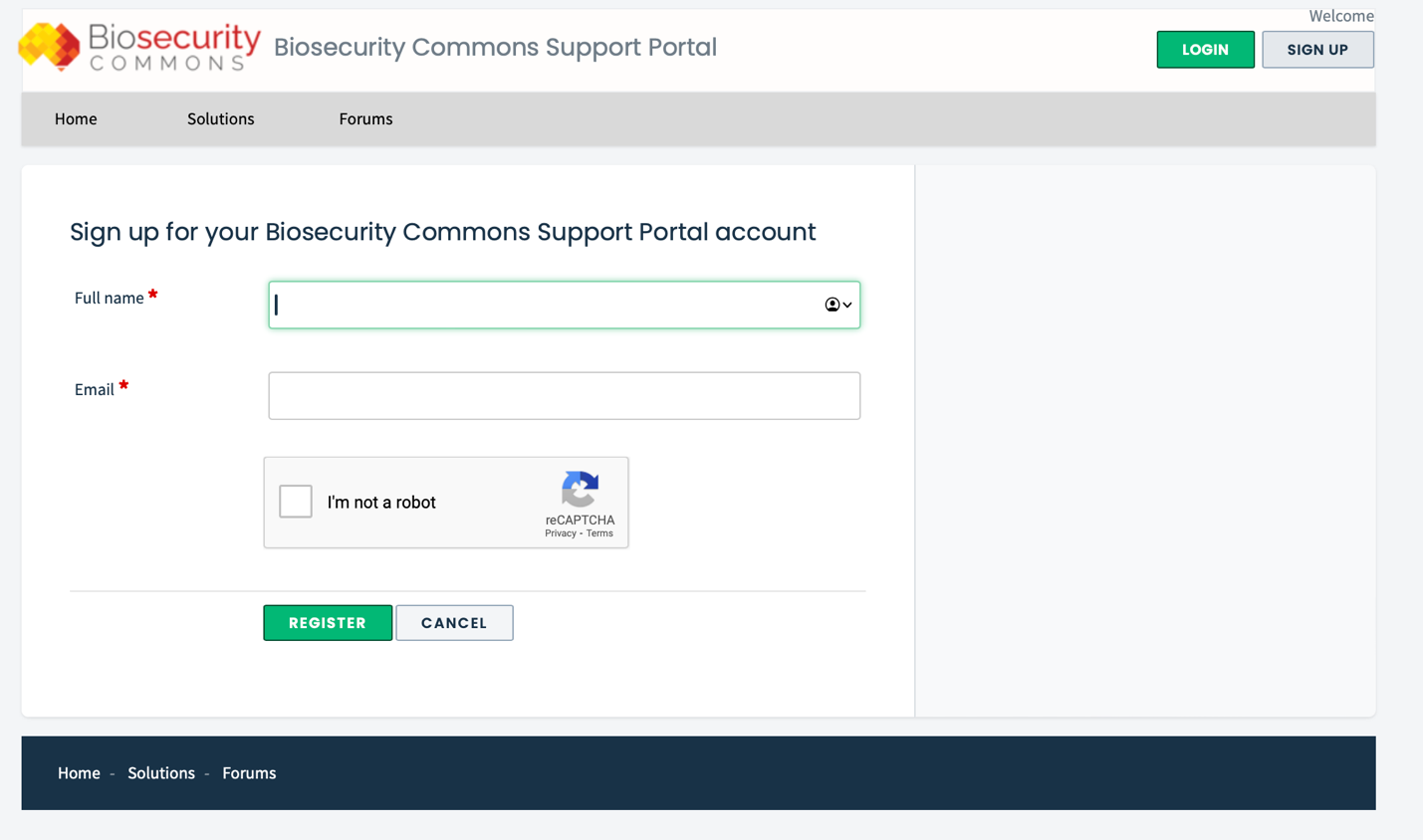
Enter the details you want to use to login and then click the green “Register” button to create your account.
NOTE: This login is different from your Biosecurity Commons login
How to start a new topic
To start a new topic in any of the sections (e.g. Questions, Ideas or Announcements), click on the “Start a new topic” button on the forum homepage (see screenshot below).
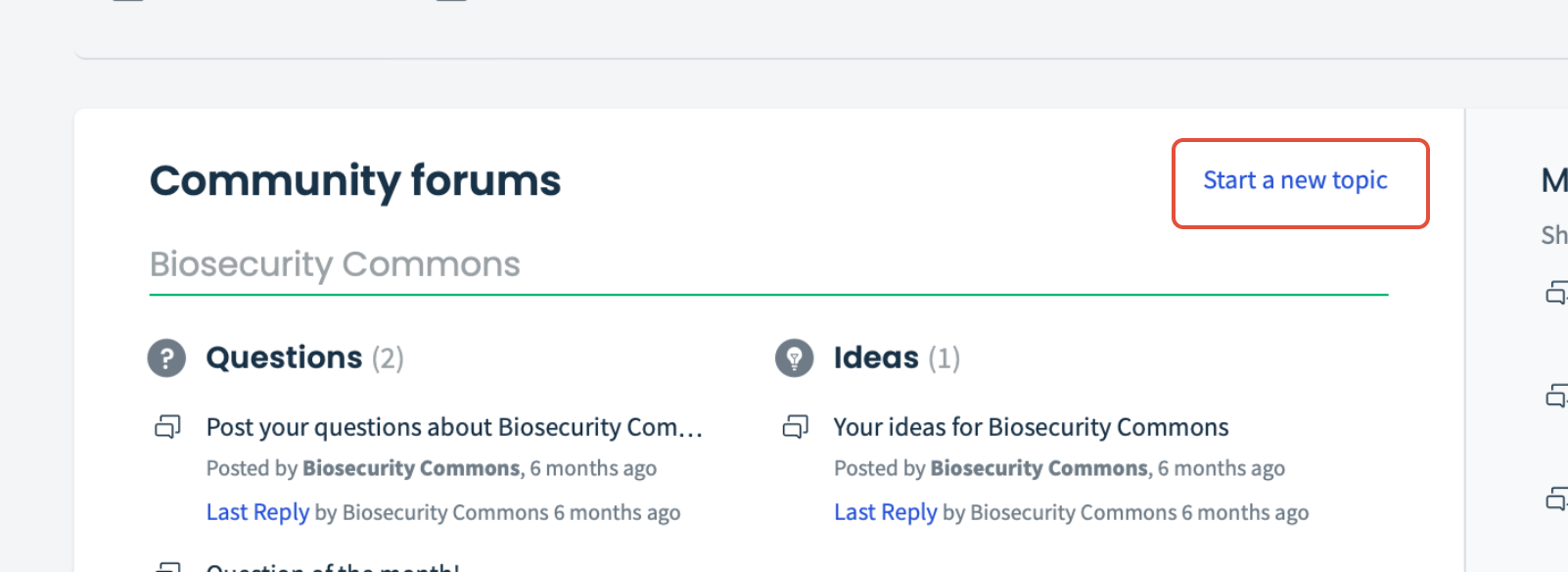
After clicking on “Start a new topic” you will either be directed to the login page or, if you are already logged in, you will be directed to the page below:
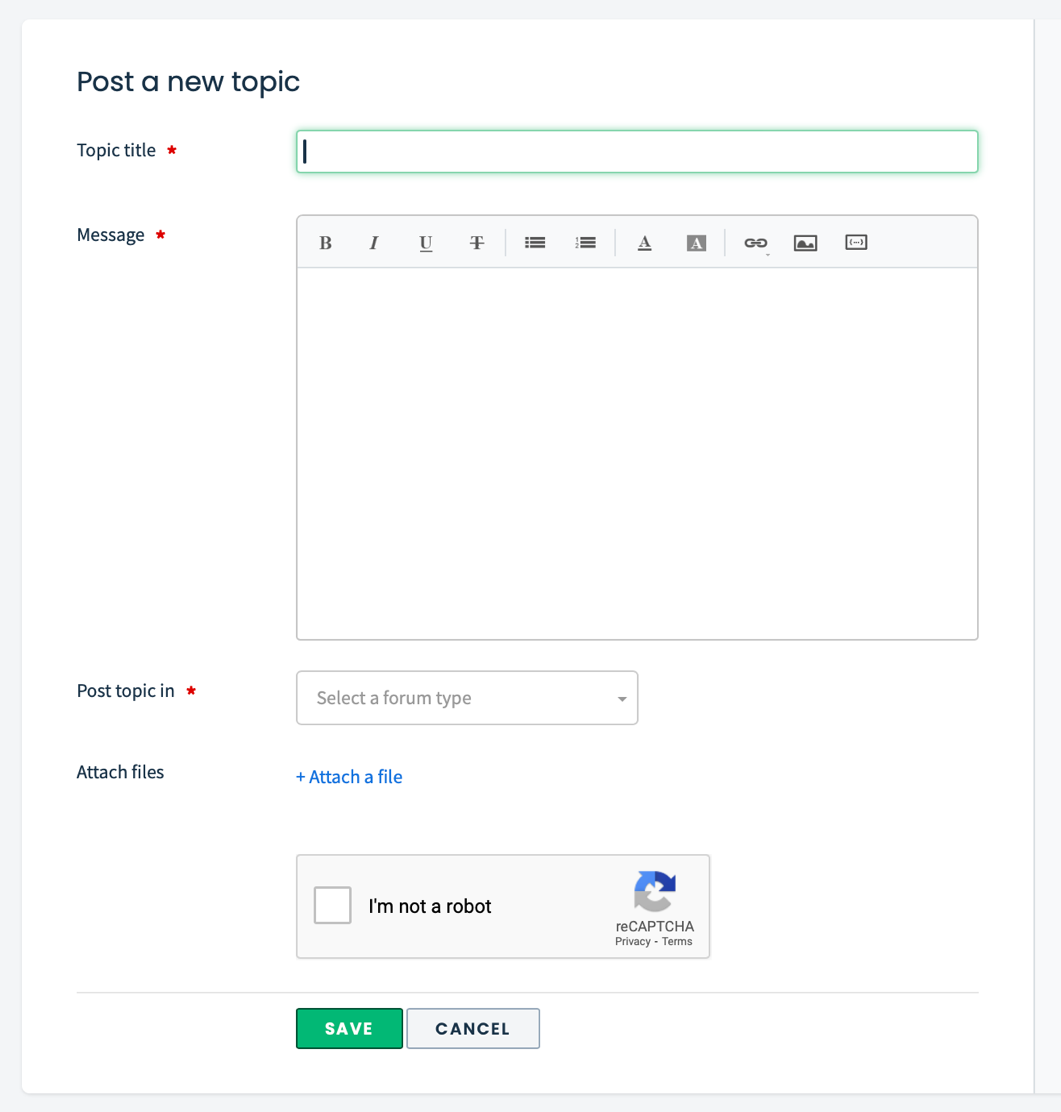
Enter your “Topic title”, your “Message”, choose the section you want to post in from the “Post topic in” drop-down menu, then click the green “Save” button and your post will pass through our moderation checks before going live on the forum.
How to post a reply
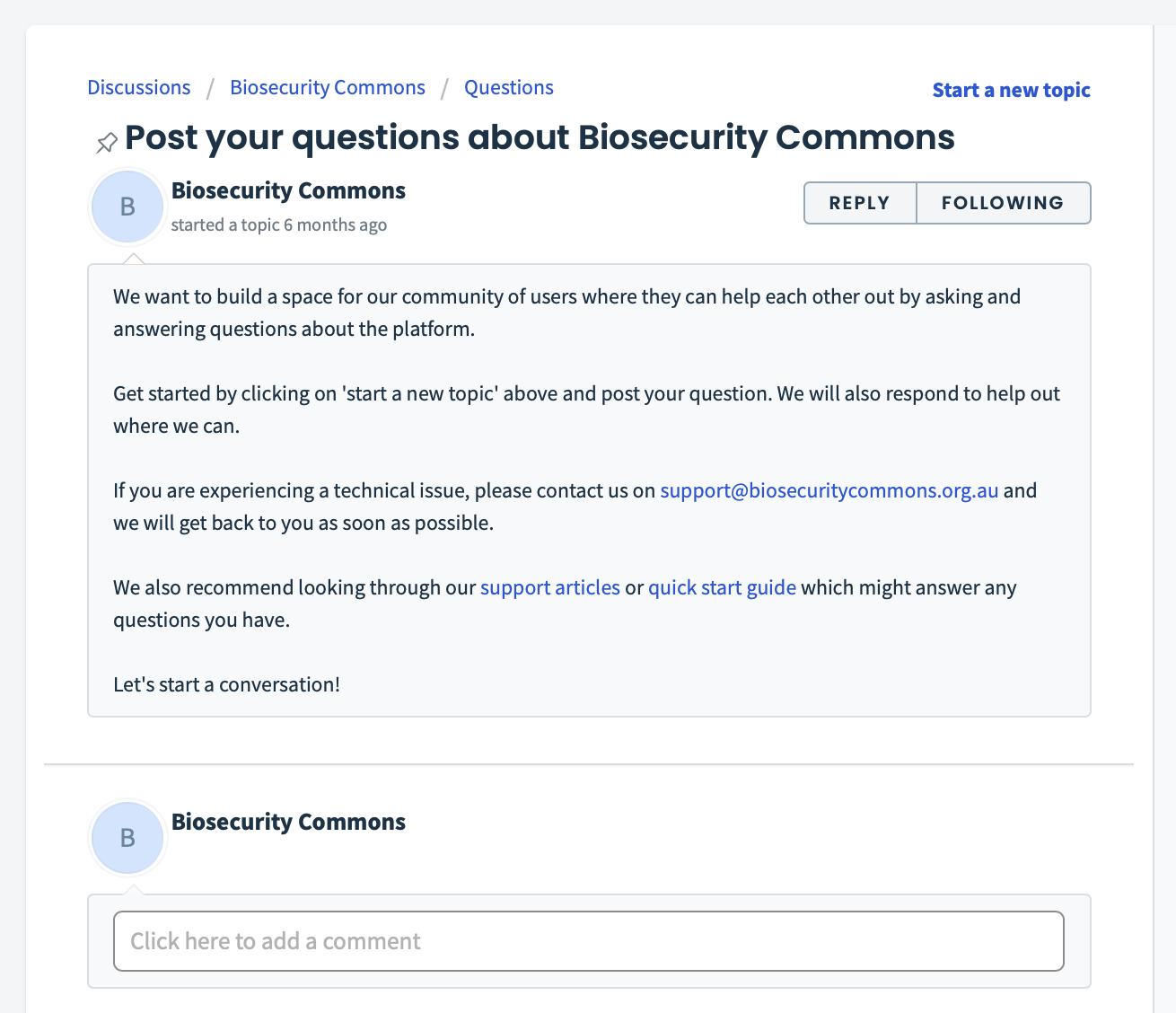
Navigate to the thread you would like to reply to. If you are logged in, you will see a space to add a reply underneath the thread (see screenshot below).
If you are not logged in, there will be a login button underneath the thread. Click the login button, enter your details, and you will be able to post a reply.
How to create a support ticket
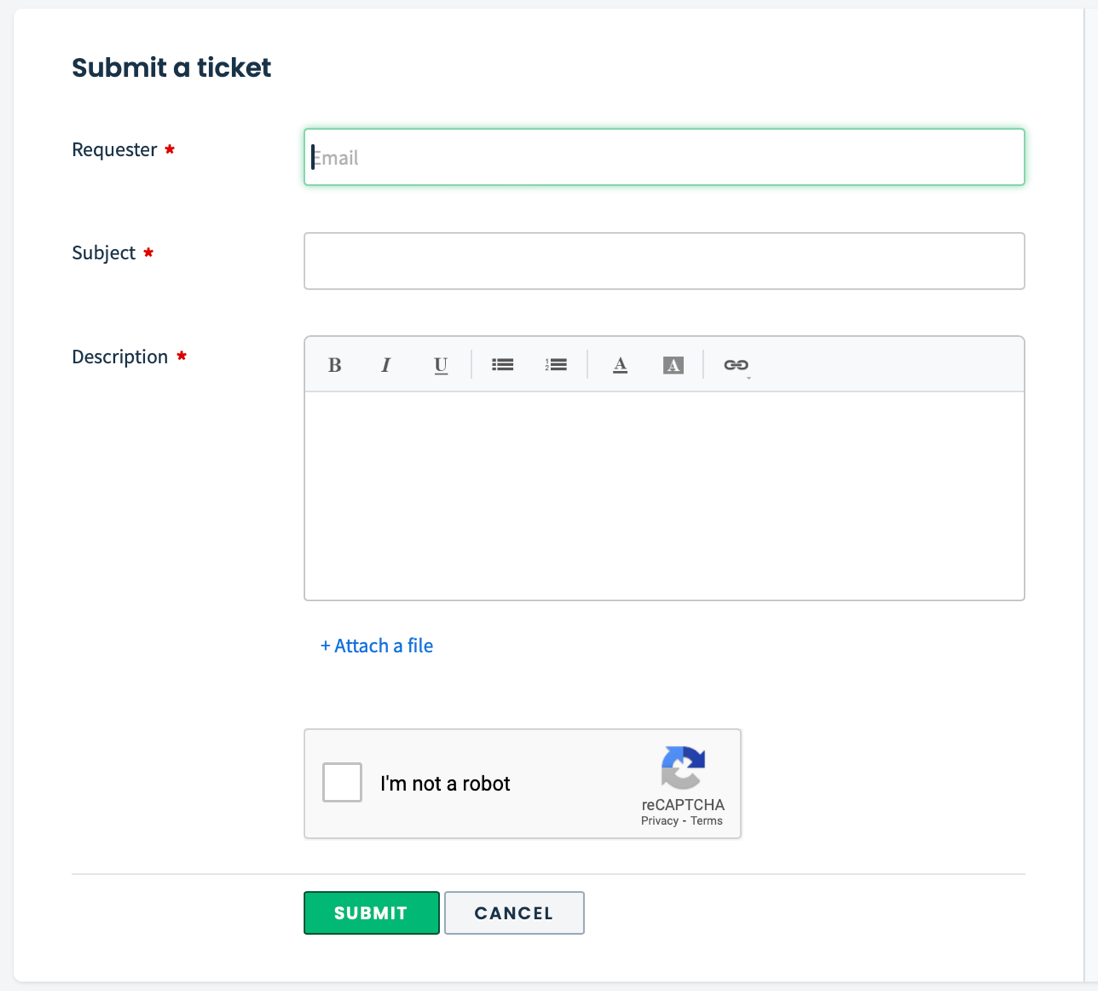
Users can create a ticket if they are having a problem with the platform. Our team will respond to help resolve the issue.
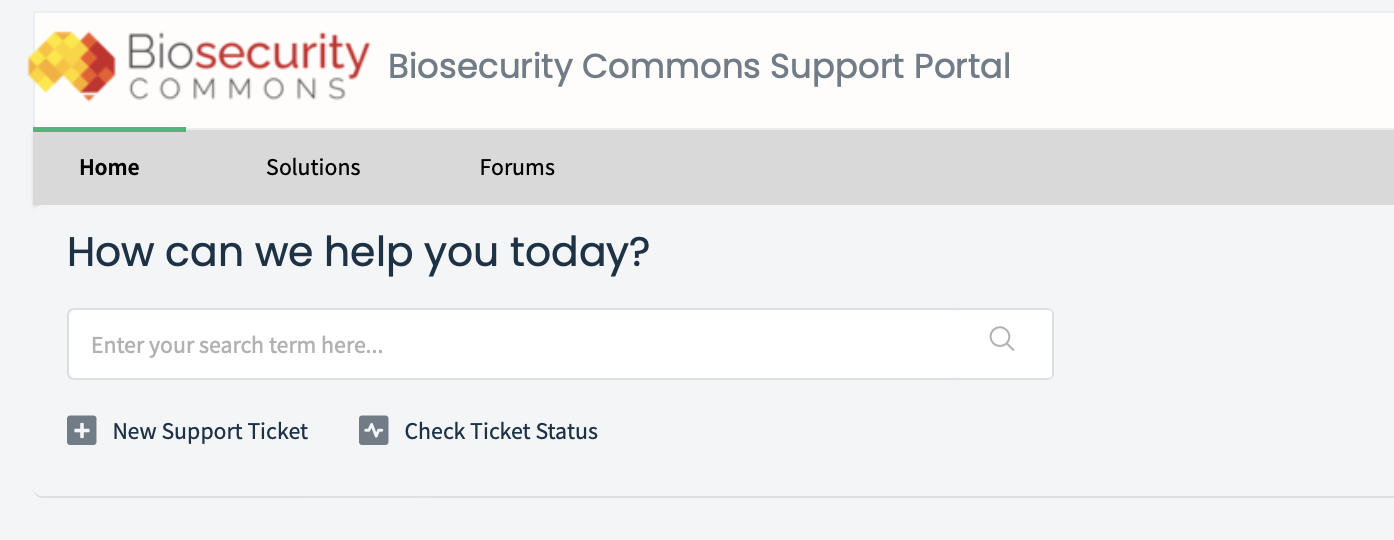
To raise a ticket, click on the “New Support Ticket” button on the portal homepage (see screenshot below).
Users will then see the screen below. To submit a ticket, fill out the details and click the green “Submit” button and our team will get back in touch using the email address you provided.
Alternatively, users can email support@biosecuritycommons.org.au directly to create a ticket.
Youtube tutorial videos
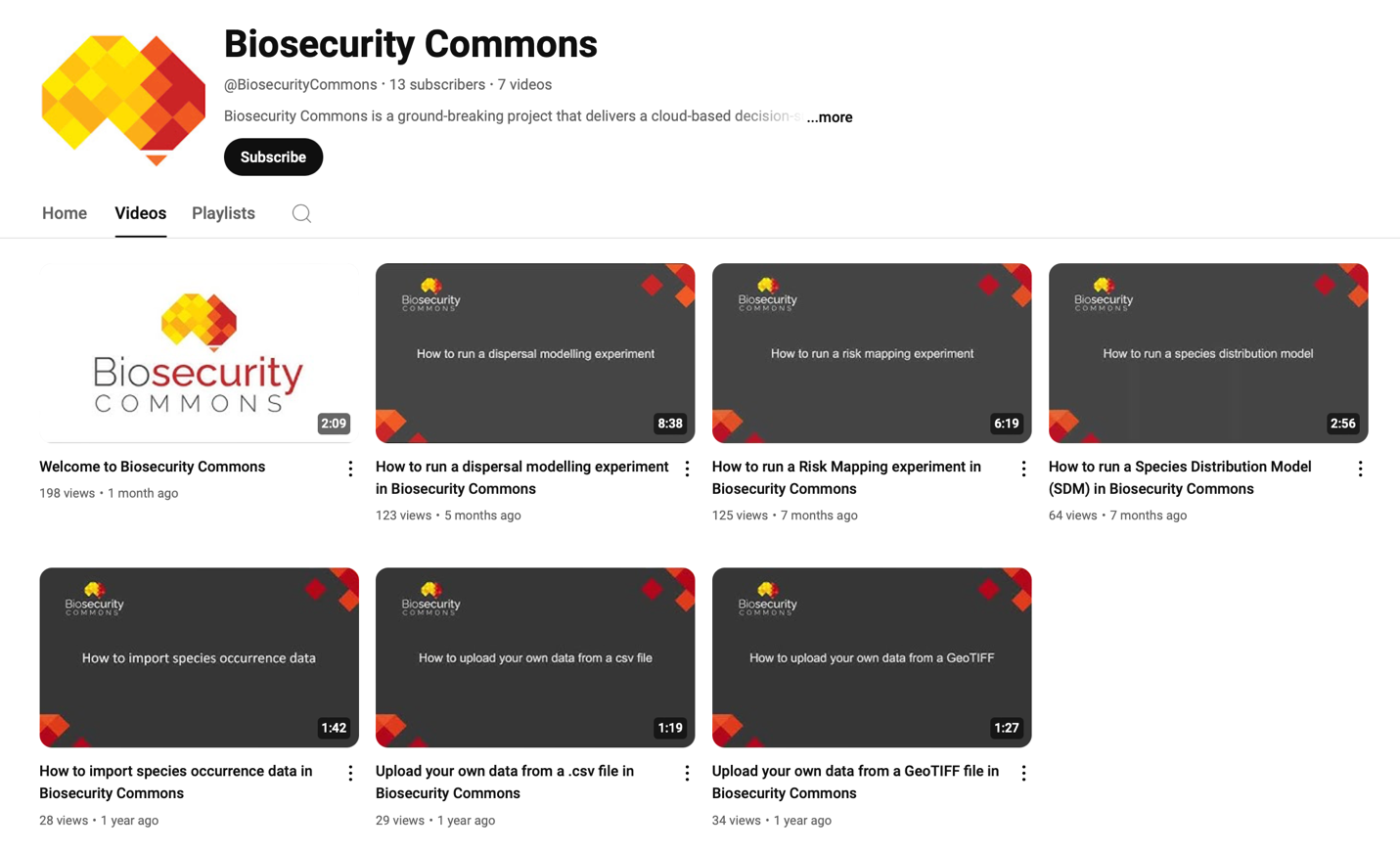
We have created several tutorial videos for the Biosecurity Commons Youtube channel to help guide our users through some of the workflows and the processes on the platform.
These videos complement the support articles discussed previously in this quick start guide. They walk users through each step of a workflow while the support articles provide more depth and detail.
Head to our Youtube channel and you will see all our available videos (screenshot below). Have a look, leave a comment and let us know what else you would like to see and how we can improve.
We will update these videos as the platform changes and, as a result, the content might be a little bit different to the platform as we are constantly improving and updating Biosecurity Commons.
Website contact form
If you want to send us an enquiry, you can contact us via our enquiry form on the website.
This could be to make a complaint, leave feedback, enquire about a collaboration, or leave a general comment.
Click on the “Contact” button on the menu at the top of the homepage of the Biosecurity Commons website (see screenshot below).

This will take you to the enquiry form below.
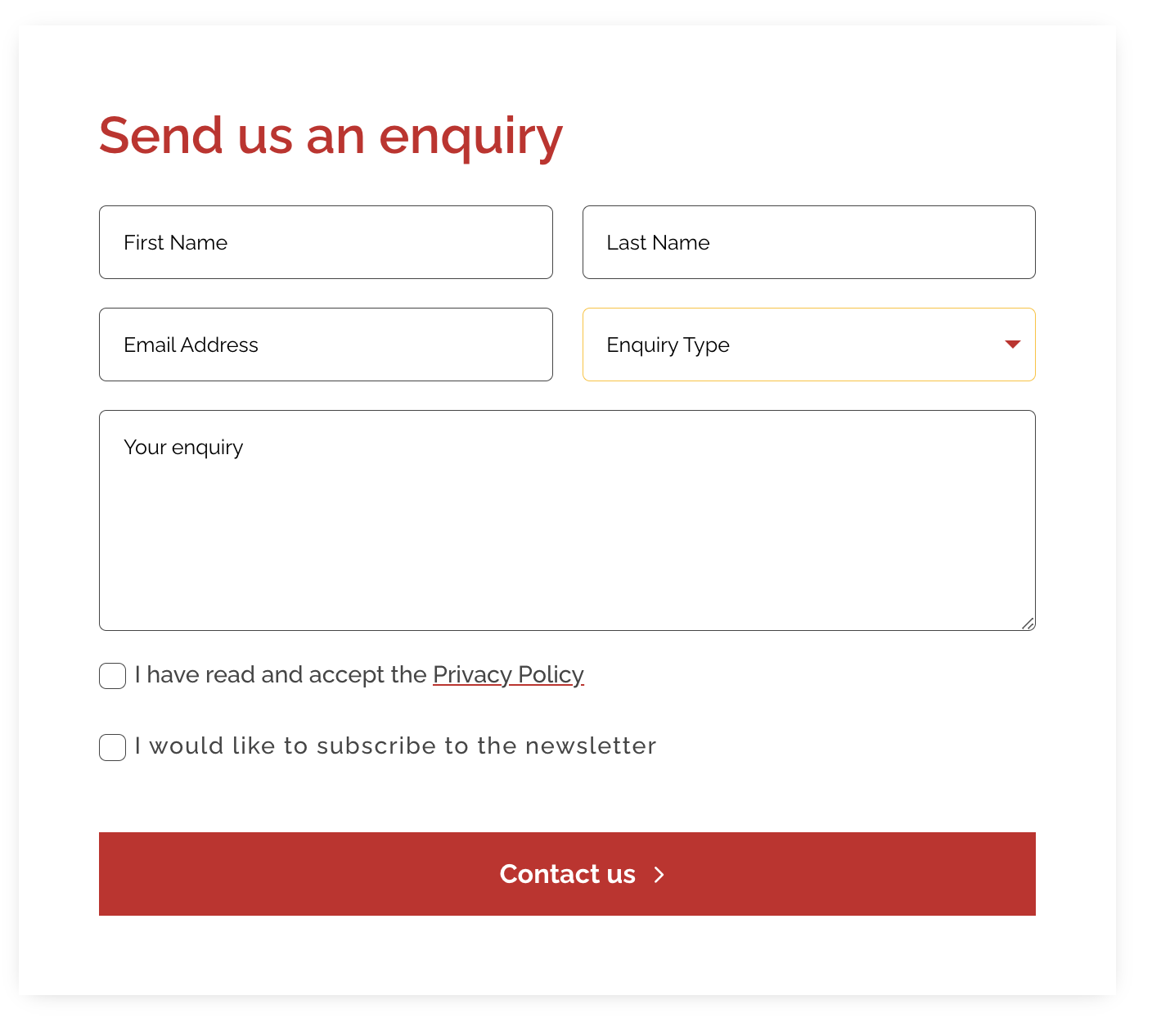
Fill out the form, click the red “Contact us” button and our team will get back in touch.
Alternatively, users can email support@biosecuritycommons.org.au directly.
Was this article helpful?
That’s Great!
Thank you for your feedback
Sorry! We couldn't be helpful
Thank you for your feedback
Feedback sent
We appreciate your effort and will try to fix the article