Logging in to Biosecurity Commons
Biosecurity Commons is currently available for free to users worldwide.
Users can log onto the platform with one of three options available on the Biosecurity Commons login page:
- Australian Access Federation (AAF)
- VANguard
- Local Account (to be discontinued)
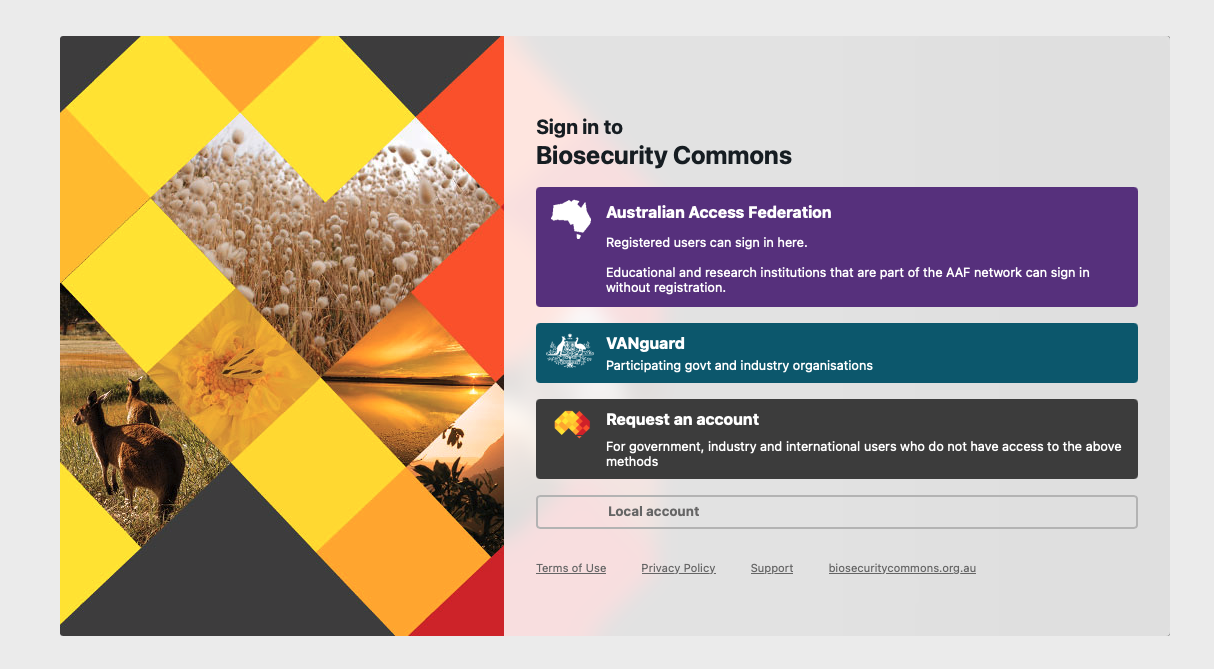
Australian Access Federation login
You can log in to the platform using your organisation’s login credentials if your organisation is affiliated with the Australian Access Federation (AAF).
Choosing this option means you do not need to register for a Biosecurity Commons account.
The AAF includes most universities and research institutes in Australia.
Click the Australian Access Federation button. This will load up a window that allows you to search for your institution (see below).
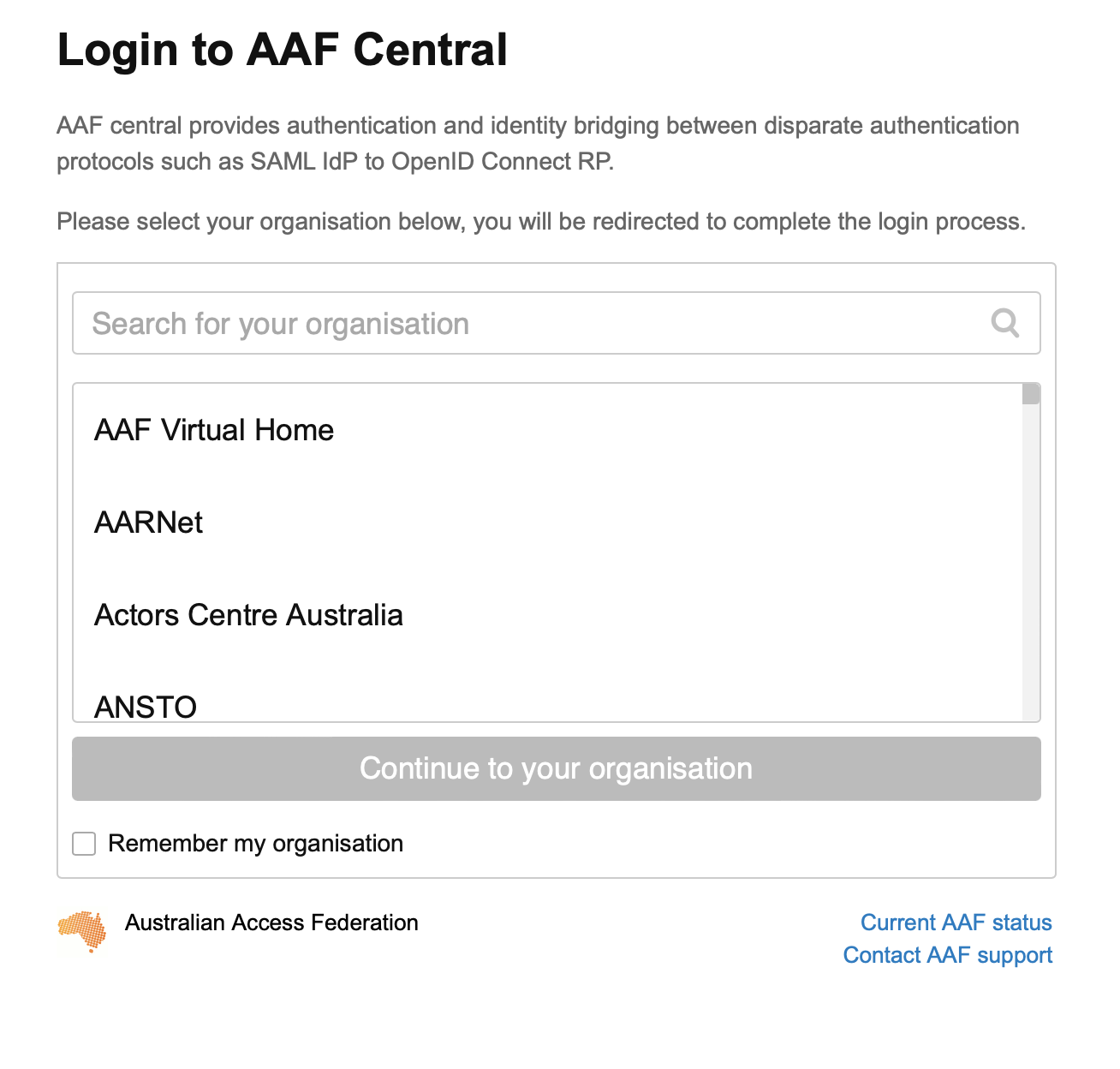
Find your organisation from the list. Click on “Continue to your organisation” and you will be redirected to your organisation’s login page.
Enter your organisation credentials and you will be logged in to Biosecurity Commons.
VANguard (currently only available for selected government agencies)
Biosecurity Commons supports single sign-on for government organisations via VANguard, a Federated Authentication Service.
This allows users to log in directly with their organisation’s credentials, eliminating the need to register for an account.
Currently, this option is available only to those affiliated with selected Australian government agencies that have been onboarded by VanGuard (e.g. Department of Agriculture, Fisheries and Forestry (DAFF), Department of Climate Change, Energy, the Environment and Water (DCCEEW)). VANguard are likely to extend this to other government agencies overtime.
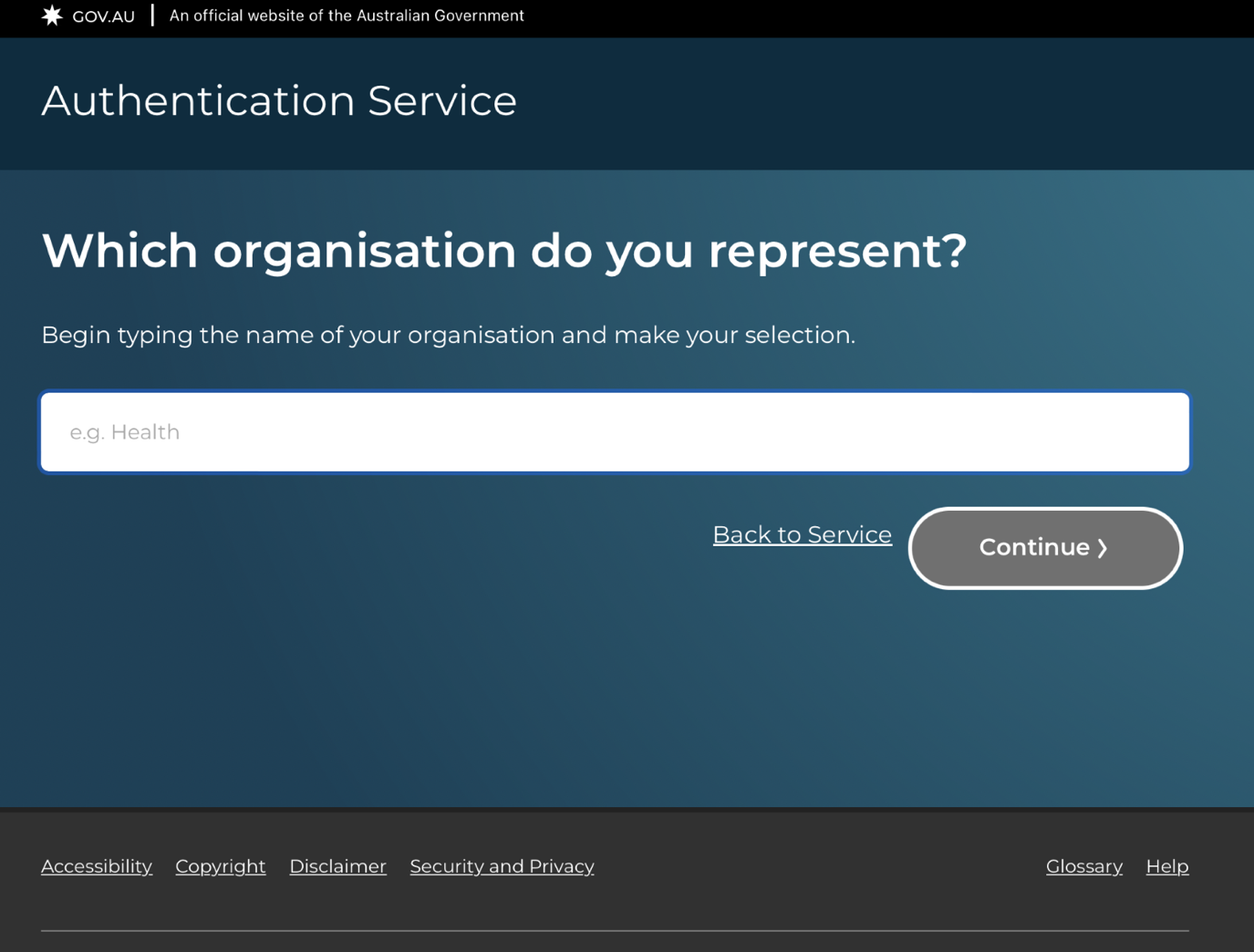
If you work for a government agency that has been onboarded with VanGuard DAFF credentials, click the VANguard button to proceed.
This will allow you to search for your organisation (see below). Click "Continue" and you will be redirected to a login page.
Enter your organisation credentials to access Biosecurity Commons.
Local account (to be discontinued)
This was the original method of logging onto the platform. We are in the process of decommissioning this method as we move early adopters over to more secure sign in options such as AAF and VANguard.
Early adopters can still login using this button if they have been provided a username and password by the Biosecurity Commons team.
Request a Biosecurity Commons account (for users without AAF or VANguard)
If you are not affiliated with an AAF or VANguard supported organisation, select “Request a Biosecurity Commons account” from the login options.
You will be directed to the page below. This is a user registration form which is required to request an account.
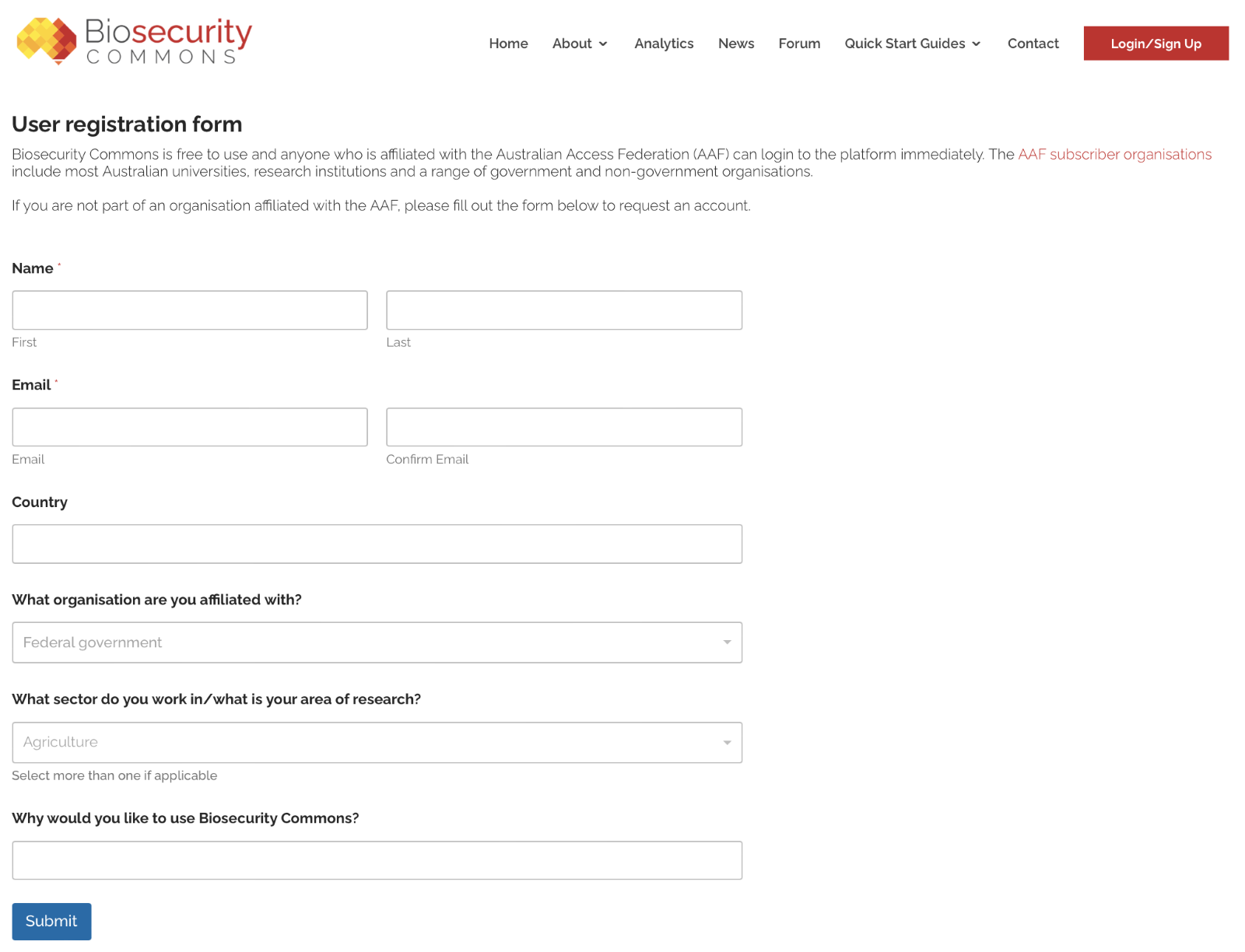
Fill in your details and click the “Submit” button. A member of our team will assess your registration request, and if required, will contact AAF to create a secure login for you.
You will receive two emails: one from us providing you with further instructions, and one from the Australian Access Federation (AAF) requesting that you confirm your account creation (check your junk mail if you don't receive anything).
When your account has been confirmed:
- Head to our login page and choose 'Australian Access Federation'
- Choose 'AAF Virtual Home' as your organisation
- Enter your details and you will be logged in to Biosecurity Commons
Please contact support@biosecuritycommons.org.au if you have any issues.
Was this article helpful?
That’s Great!
Thank you for your feedback
Sorry! We couldn't be helpful
Thank you for your feedback
Feedback sent
We appreciate your effort and will try to fix the article